
Why Automated COGS Tracking Changes Everything for Shopify Stores
Most Shopify store owners fall into one of two camps: they either don't track cost of goods sold at all, or they're maintaining a sprawling Google Sheet that's perpetually three weeks behind reality.
Both approaches are costing you money. But here's the thing—it's not actually your fault. The tools available to Shopify merchants have historically been terrible at this problem. Spreadsheets feel free, so you start there. They quickly become hell, so you just... stop updating them. Meanwhile, every order that ships out remains a mystery: did you actually make money on it?
Automated COGS tracking isn't just an upgrade. It's a fundamental shift in how you understand your business. Once you see it, you can't unsee it.
The Spreadsheet COGS Problem (And Why It's Worse Than You Think)
Let's be direct: if you're tracking COGS in a spreadsheet, your gross margin numbers are wrong. Not a little wrong. Wrong in ways that cascade through every business decision you make.
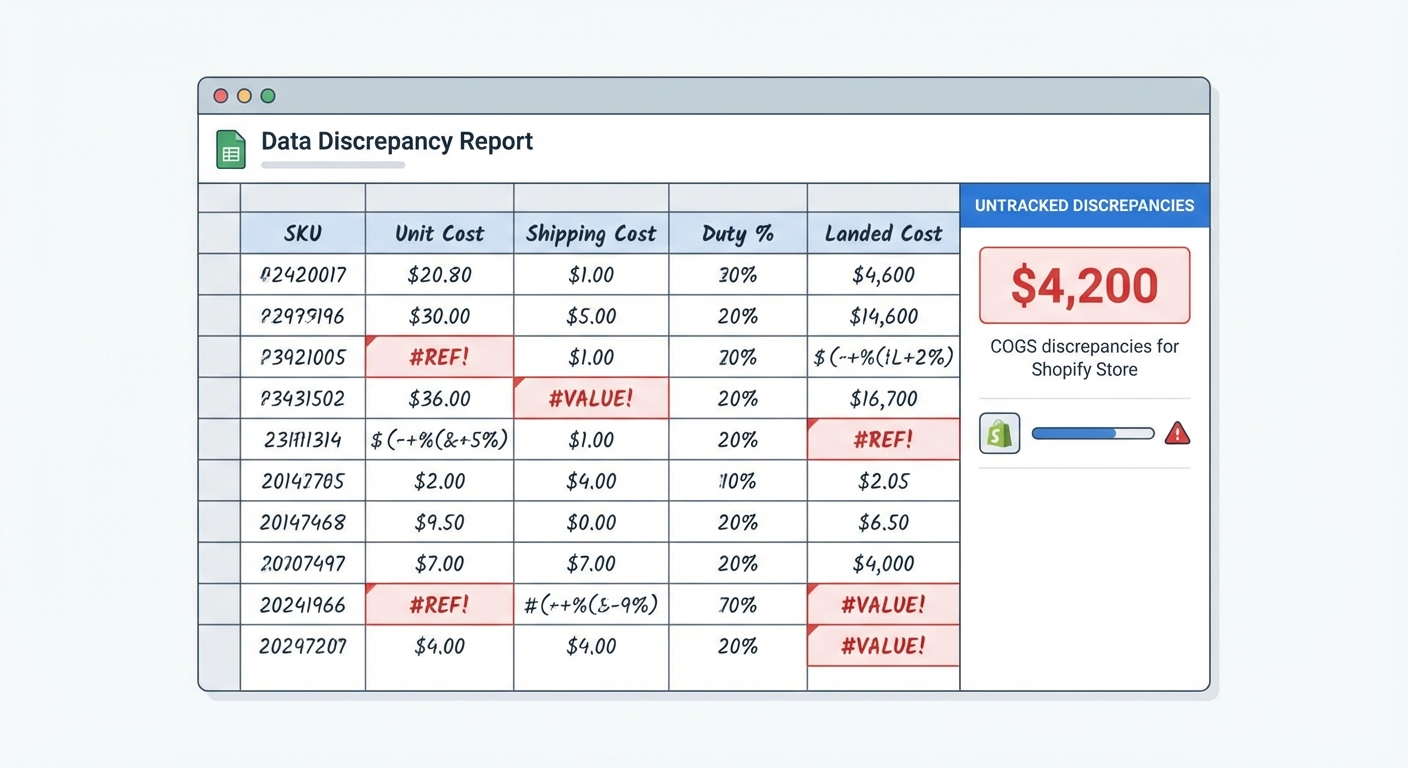
Here's why.
[IMAGE PLACEHOLDER: Screenshot of chaotic spreadsheet with mismatched data]
A typical Shopify merchant has between 30 and 200+ SKUs. Each product might have multiple variants—sizes, colors, materials. When costs change (and they always do), you need to update every variant that's affected. When you import a new product from a supplier, you need to add it to the sheet. When you create a bundle, you need to manually calculate the sum of all component costs.
All of this happens in the background of running your actual business. Orders are flowing in. Customers are emailing. You're sourcing new products. The spreadsheet slides.
Four Ways Manual COGS Tracking Breaks
1. Multi-Variant Products
A t-shirt in size small costs $4 to produce. Size large costs $5.50 because it uses more fabric. A spreadsheet can track this, but most don't—because tracking at the variant level adds another layer of complexity that's hard to maintain.
So instead, you average the cost at $4.75. Close enough, right? Except you sell 60% large and 40% small. Every time someone buys a large, you're understating your COGS by $0.75. Over 1,000 orders, that's $450 of missing margin visibility.
2. Supplier Price Changes
Your supplement supplier raised prices 12% on February 1st. When did your spreadsheet get updated? If you're lucky, early March. Meanwhile, you've been selling 200+ bottles at the old cost assumption, and you have no idea your actual margin on those orders.
This isn't a once-a-year thing either. For most product categories, supplier costs shift seasonally, change with commodity prices, or adjust based on volume discounts. A spreadsheet update is a manual task that gets deprioritized.
3. Bundle and Kit Products
You sell a "Starter Pack" that includes Product A ($8 cost), Product B ($12 cost), and Product C ($5 cost). The COGS of the bundle should be $25.
How many spreadsheets correctly calculate that? And then, what happens when you update the cost of Product B? Do you remember to recalculate the bundle COGS? Do you do it everywhere it's referenced?
Most merchants get this wrong. They either hardcode a static bundle cost, or they forget to update it when component costs change. The result: you think you're making $15 margin on that bundle when you're actually making $8.
4. Currency and Landed Costs
This one really separates the chaos from the catastrophe. If you're importing from overseas (and who isn't?), your true cost isn't just the supplier's invoice. It includes:
- Freight and shipping
- Import duties and tariffs
- Currency conversion (did you lock in a rate, or do you use spot?)
- Payment processor fees (wire transfer, credit card markup)
- Restock/shrink allowances
A spreadsheet might capture the base supplier cost. It rarely accounts for the other 20-35% of true landed cost. So you're underestimating COGS by thousands of dollars a month, especially if you're doing significant import volume.
A Real Example: The Supplement Brand with 45 SKUs
Let's walk through a concrete scenario. You run a supplement brand with 45 active SKUs. You source from three suppliers across two continents. You have a mix of single products, variants (different sizes), and bundles.
Every month, you spend 8–10 hours maintaining your COGS spreadsheet:
- 2 hours: Cross-referencing supplier invoices against your sheet to catch price changes
- 1.5 hours: Updating variant costs when supplier adjusts pricing
- 2 hours: Recalculating bundle COGS after component costs change
- 1.5 hours: Manually reconciling what's in your sheet against what shipped (usually finding 3–5 discrepancies)
- 1 hour: Recalculating "true" COGS for imports by hunting through emails for actual landed costs
And after all of that? Your COGS is still off by 15-25% on average.
Here's what that costs you in real money.
Your average order value is $65. Your actual gross margin should be 62% ($40.30 per order). But because your COGS is understated, you think it's 68% ($44.20 per order). That illusion means:
- You don't raise prices when you should.
- You don't cut underperforming products early enough.
- You overspend on paid ads for products you think are profitable but aren't.
- You make inventory decisions based on false profitability.
Over a year with 10,000 orders, that "small" 6% margin error compounds into tens of thousands of dollars in misguided decisions.
And the time? 8–10 hours a month is 96–120 hours a year. At $30/hour (your true time cost as a founder), that's $2,880–$3,600 annually—just maintaining a system that's still broken.
[IMAGE PLACEHOLDER: Table comparing "Time Spent" vs "Accuracy" for manual tracking]
What Automated COGS Tracking Actually Does
Here's where everything changes.
An automated COGS tracking system (like Shopimize) does one simple thing that a spreadsheet can't: it separates cost management from order tracking.
You define your costs once, at the product and variant level. The system stores them. Then, when an order comes in, the system automatically applies the correct cost to the correct variant on that specific order.
Let's break down what this means in practice:
1. Variant-Level Cost Precision
You set the cost of the Small t-shirt to $4.00 and the Large to $5.50. These costs live in the system. When someone orders a Large, the system automatically uses $5.50 as the COGS for that order. No averaging. No guessing.
2. Supplier Updates Happen Once
When your supplier's price changes on February 1st, you update the cost in the system for all affected variants. Every order after that date uses the new cost. You don't have to hunt through spreadsheets or guess when the change took effect.
Better yet, most automated systems let you schedule cost updates in advance. If your supplier tells you the price goes up on March 15th, you schedule that change now and it applies automatically.
3. Bundles Calculate Themselves
You define your "Starter Pack" bundle once. The system knows it's made of Product A, Product B, and Product C. Whenever an order contains the bundle, the system automatically sums the variant costs and applies that total. When you update Product B's cost, the bundle's cost updates automatically. No manual recalculation. No forgetting.
4. Landed Cost Support
Better systems let you account for freight, duties, and currency conversion at import time. You set the landed cost (total true cost to you) instead of just the supplier invoice. Now when an order ships, you're using actual economics, not fairy tales.
Track this automatically
Shopimize shows your real profit per order, per product, per channel.
Try Shopimize free →The Accuracy Dividend: What Happens When COGS Actually Works
Here's what shifts when your COGS tracking is finally accurate:
Real Gross Margin
You stop guessing. Your dashboard shows actual gross margin per order, per product, per customer—not inflated fiction. This becomes your source of truth.
True Product-Level Profitability
You'll discover that Product #12 (which you thought was generating 55% margin) is actually 38% after true COGS. You'll also find that the "boring" product you almost killed is actually your most profitable item. These insights change your product strategy immediately.
Accurate Pricing Decisions
Should you run a promotion on Product X? With real COGS, you can answer that. Can you afford to lower prices to compete? Now you know. Are your prices leaving money on the table? Real data tells you.
Reliable P&L
Your monthly profit and loss statement actually reflects your business. You can build cash flow forecasts, set budget targets, and talk intelligently with investors or lenders. No more "well, the sheet says $50k profit but I'm not sure."
Smart Inventory Decisions
When you know which products are actually profitable, you stock accordingly. You don't overcommit to SKUs that look good on paper but bleed margin in reality.
[IMAGE PLACEHOLDER: Dashboard showing accurate gross margin breakdown by product]
The Comparison: Spreadsheet vs. Automated Tracking
Let's put this side-by-side so you can see what changes:
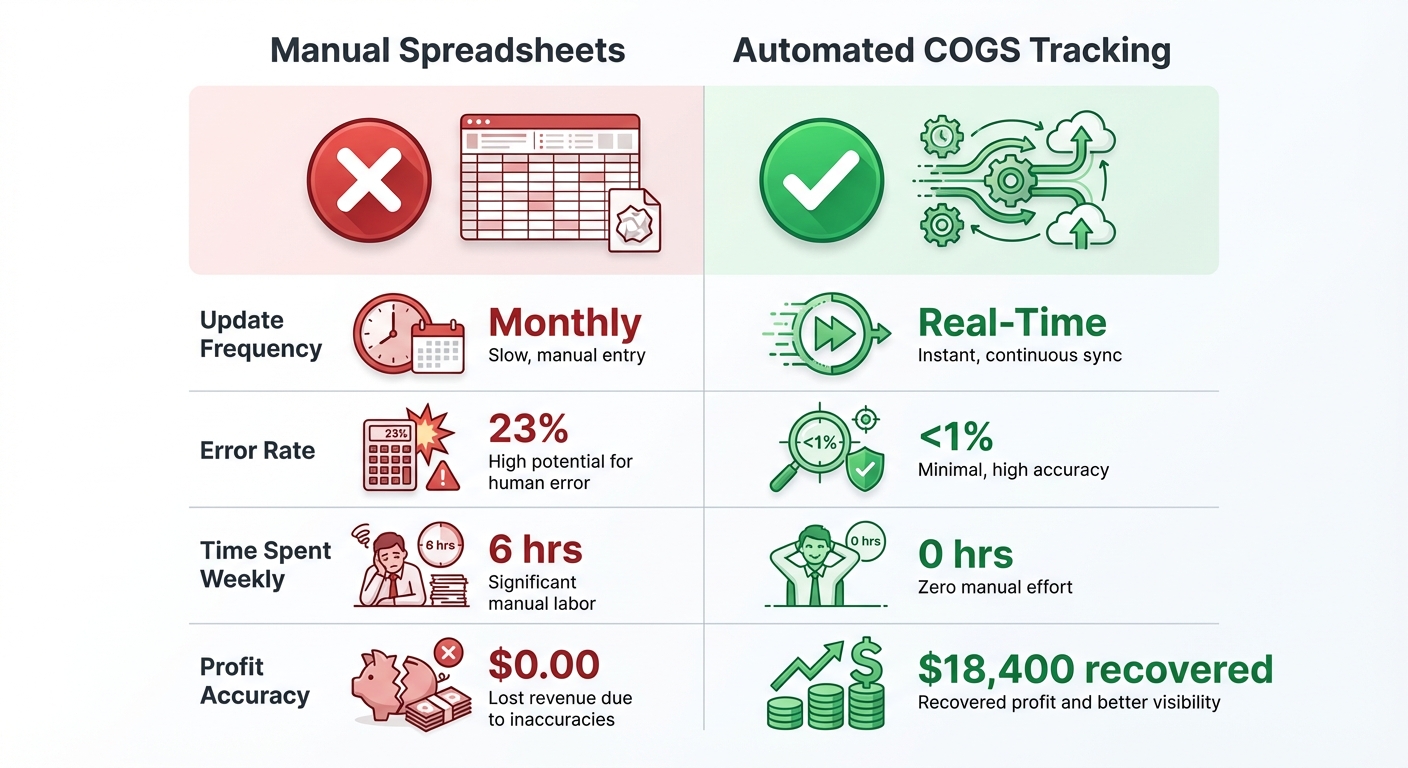
| Dimension | Spreadsheet Approach | Automated Tracking |
|---|---|---|
| Time per month | 8–10 hours | 15–20 minutes (just reviewing) |
| COGS accuracy | 75–85% | 98%+ |
| Variant cost support | Possible but rarely done | Native, built-in |
| Supplier price change workflow | Manual hunt-and-update | Bulk update or scheduled |
| Bundle handling | Manual calculation, error-prone | Automatic calculation |
| Landed cost tracking | Rarely attempted | Supported |
| Real-time order accuracy | Delayed 2–4 weeks | Immediate |
| Audit trail | Vague or absent | Complete history |
| Scaling ease | Breaks as you grow | Scales effortlessly |
| Confidence in margin data | Low | High |
The ROI Math: Why the Cost of Automation Pays for Itself
Let's talk money. Good automated COGS tracking tools typically cost $20–$100 per month, depending on order volume and feature set.
Is that worth it?
Let's use our supplement brand example:
- Time savings: 8 hours per month × $30/hour = $240/month in reclaimed time
- Error reduction: Catching 15% COGS understatement on 800 orders/month × $35 average AOV = $4,200 margin recovery monthly
- Better decisions: Faster product decisions, smarter pricing, less money spent on low-margin products = conservatively $500–$1,500/month in avoided waste
Total monthly impact: $4,940–$5,690
The tool costs $50/month.
Your ROI is 99x in month one. That's not hyperbole. That's math.
Even if your margin recovery is only half that, and even if we heavily discount the time savings, the tool pays for itself 50+ times over in a single year.
And that's before you factor in the confidence dividend. Knowing your margin is real changes how you run your entire business.
What to Look For in an Automated COGS Tool
Not all COGS tracking solutions are created equal. If you're evaluating options, focus on these questions:
1. Does it sync with Shopify natively?
You want costs to flow into Shopify's system automatically, and orders to pick up the right COGS without extra steps.
2. Does it support variants at the cost level?
If the tool forces you to define cost at the product level only, it won't solve the multi-variant problem. You need variant-level cost precision.
3. Can you update costs in bulk and schedule changes?
A tool that requires you to update costs one-by-one isn't actually saving you time. Look for bulk import, CSV update, and future-dated cost change features.
4. Does it handle bundles and kits?
If you sell assembled products, bundles, or kits, you need a system that understands component relationships and calculates bundle COGS automatically.
5. Is there an audit trail?
You should be able to look at any order and see exactly what COGS was used, when it was set, and whether it's changed since. This matters for reconciliation and financial accuracy.
6. Does it integrate with your accounting system?
The real payoff comes when COGS flows into your accounting software (QuickBooks, Xero, etc.) automatically. That's where it becomes truly reliable.
FAQ
What if I'm already using a spreadsheet? Is it too late to switch?
No. The best time to switch was six months ago. The second-best time is today. Most tools can import your historical cost data, and going forward, every order gets tracked accurately. You won't regret the switch.
Can I use Shopify's built-in COGS field?
Shopify does have a COGS field on products, but it's designed for static cost tracking. If your costs ever change, or if you need variant-level precision, or if you have bundles, you'll outgrow it fast. Shopify's field is better than nothing, but it's not a complete solution.
What if I only have a few SKUs?
Even with 10 SKUs, if you're tracking variants or importing from overseas, manual tracking creates errors. And as you grow, the time cost explodes. Starting with automation early is a smart foundation.
How long does it take to set up?
Most tools can be up and running in 30–60 minutes. Import your product data, set your costs, connect to Shopify, and you're done. The lift is minimal.
Will switching systems cause data loss?
No. Your historical order data stays in Shopify. You're just adding accurate cost data going forward. You can even backfill historical costs if you want reconciliation.
What if my supplier costs change constantly?
That's actually where automation shines. You can update costs monthly, weekly, or even daily if needed. Scheduled cost changes mean you can queue up future updates and they apply automatically. A spreadsheet can't do this reliably.
The Bottom Line
Shopify merchants spend thousands of dollars a year tracking COGS in spreadsheets that are perpetually behind, incomplete, and inaccurate. Meanwhile, the true cost of that accuracy gap—in misdirected pricing, bad product decisions, and wasted time—dwarfs the cost of a real solution.
Automated COGS tracking isn't a nice-to-have. It's the difference between running your business on hunches and running it on data.
The question isn't whether to automate. It's how long you'll wait before you do.
Ready to stop guessing your COGS? Try Shopimize free — import your costs once, and every order gets tracked automatically.